

Read manhwa and manga in your language on Android.
Open a manhwa, manga, or manhua chapter, choose your language, and keep reading in Nayovi. Try about two average chapters free—no card required.
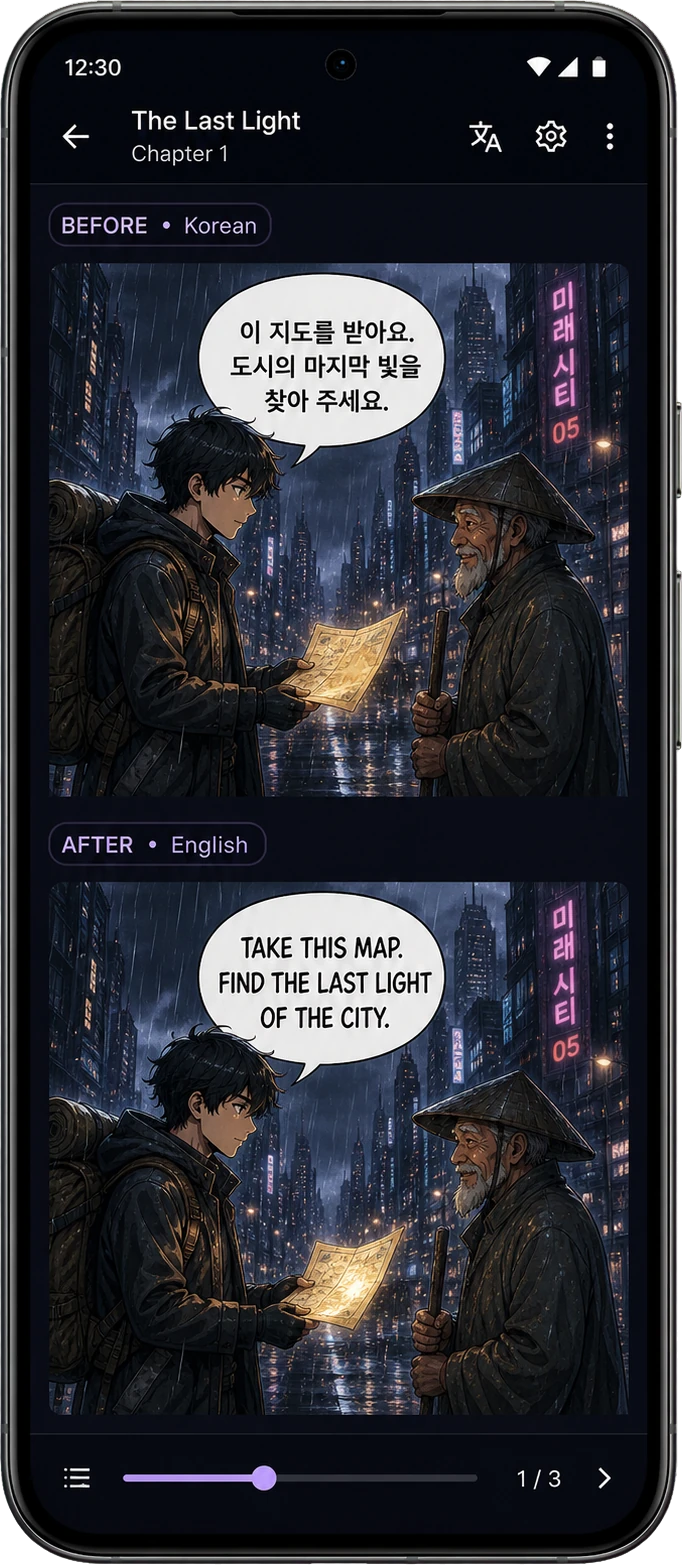
See manhwa translation while you read
Nayovi keeps the original manhwa, manga, or manhua page and its translation in one Android reading flow.
Translate without leaving your reader
Keep the source chapter and the translated reading flow together instead of switching between apps.
Watch the real Android walkthrough
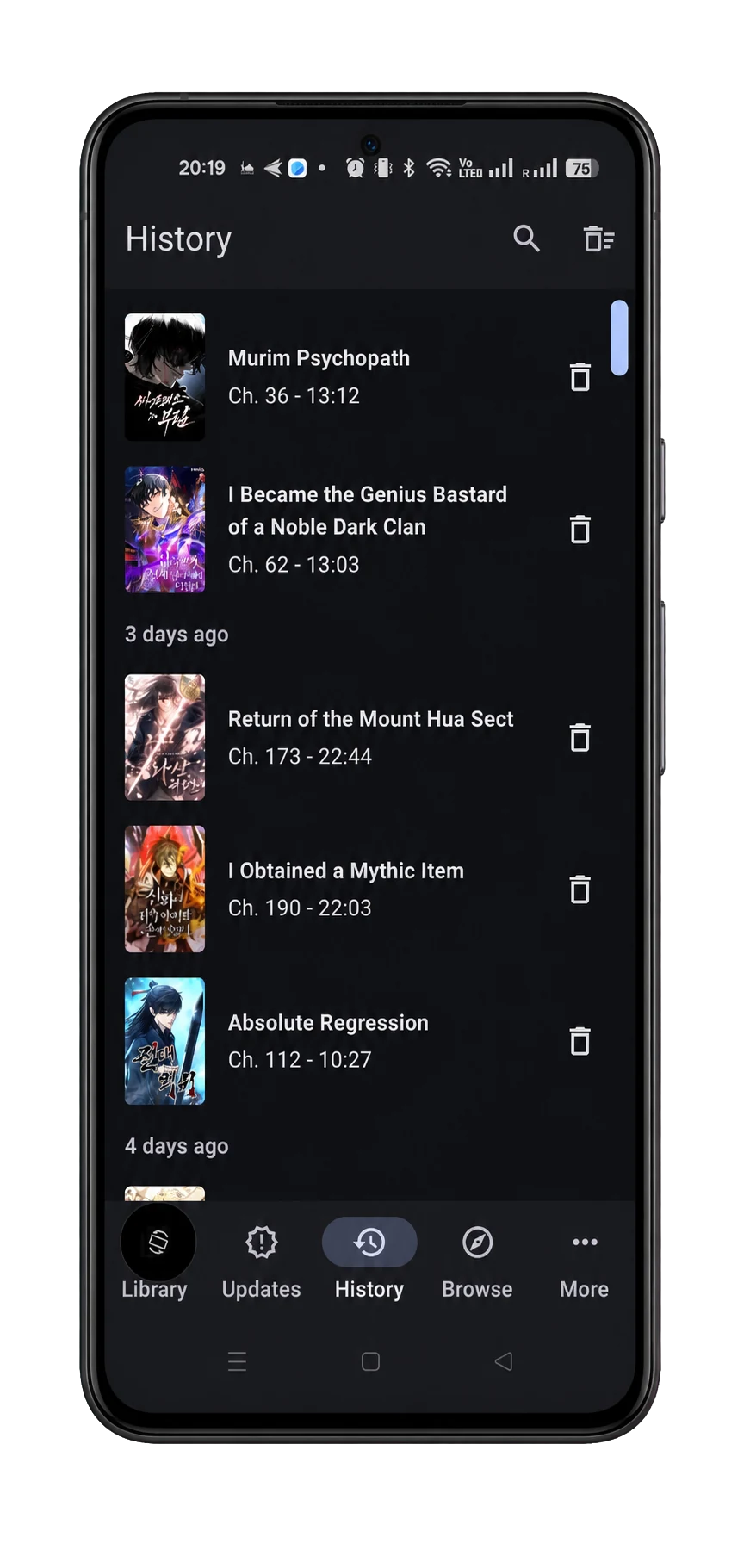
From download to reading in three steps
No complicated setup.
Simple enough to use on the first chapter
Start free. Upgrade when you need more.
Try Nayovi first, then choose a monthly plan that matches how much you read.
$2
/monthThe price of a coffee
About 50 chapters / month
Chapter amounts are estimates and can vary with chapter length. Paid plans renew monthly until cancelled, and unused allowance resets at renewal.
Compare plans →Need help before you start?
Get help with installation, payment, activation, or account access in the Nayovi support center.
Questions readers ask before trying Nayovi
What is Nayovi?
Nayovi is a manhwa, manga, and manhua translator for Android. It keeps the familiar reading flow of TachiyomiAT, Tachiyomi, and Mihon-style apps while adding full-chapter translation.
Can I try Nayovi for free?
Yes. The one-time free trial includes about two average chapters. The exact amount can vary with chapter length, and no card is required.
What can I read with it?
Nayovi can translate manga, manhwa, and manhua chapters that you are allowed to process, including content you own, public-domain pages, and approved samples.
Is setup difficult?
No. Install the Android APK, open a chapter, and choose your language. Nayovi handles the translation flow for you.
Which monthly plan should I choose?
Starter is for occasional reading, Pro is for regular readers, and Power is for heavier use. Start free and upgrade only if you keep using Nayovi.
What happens after I pay?
Your receipt and activation instructions are sent to the email used at checkout. Follow those instructions once in Nayovi to start using the plan.
How do I cancel a monthly plan?
Use the billing link in your checkout receipt. Monthly plans renew until they are cancelled.
Does unused monthly allowance roll over?
No. Your chapter allowance resets when the monthly plan renews, so choose the plan closest to how much you normally read.